✦ WordPress admin, reimagined · Current release · v1.3.6

A smarter, cleaner WordPress workspace.

Bring a modern glass-style admin interface together with custom content tools, security controls, performance options and everyday workflow utilities.

Modular controlsOpt-in White Labelv1.3.6 release
Welcome back!Admin Studio
✎24Posts
▣08Pages
●16Comments
▧102Media

Quick actions

+New post
▤New page
▧Media library
⚙Studio tools

Site overview

WorkspaceUnified
ControlsModular
More than a visual refresh

Admin design meets practical site tools.

Make the dashboard feel considered, then reach for the tools that help you shape content, simplify access and manage common site tasks.

✦

A polished admin UI

Glassmorphism-inspired surfaces, Light and Dark modes, theme presets and adjustable sidebar width.

▦

Custom content structures

Create custom post types, taxonomies, field groups and global options pages.

⛨

Security controls

Configure login URL changes, login attempt limits, 2FA, password policy and country rules.

ϟ

Performance tools

Choose which WordPress components to disable and configure page or object caching.

Code snippets

Manage CSS, SCSS, JavaScript, HTML and PHP snippets in one dashboard.

◉

Opt-in White Label branding

Use your own brand name, logo, login identity, footer credit and email sender name with independent controls. Disabled by default.

↗

Site operations

Set maintenance mode and create 301/302 redirects without juggling multiple screens.

View the complete feature list →
Inside the Studio · v1.3.6

Real interface. Real control.

Explore actual screenshots from GoPixel WP Admin Studio & Toolkit, including the dashboard, theme navigation and feature controls in Light and Dark appearances. The current downloadable plugin is v1.3.6.
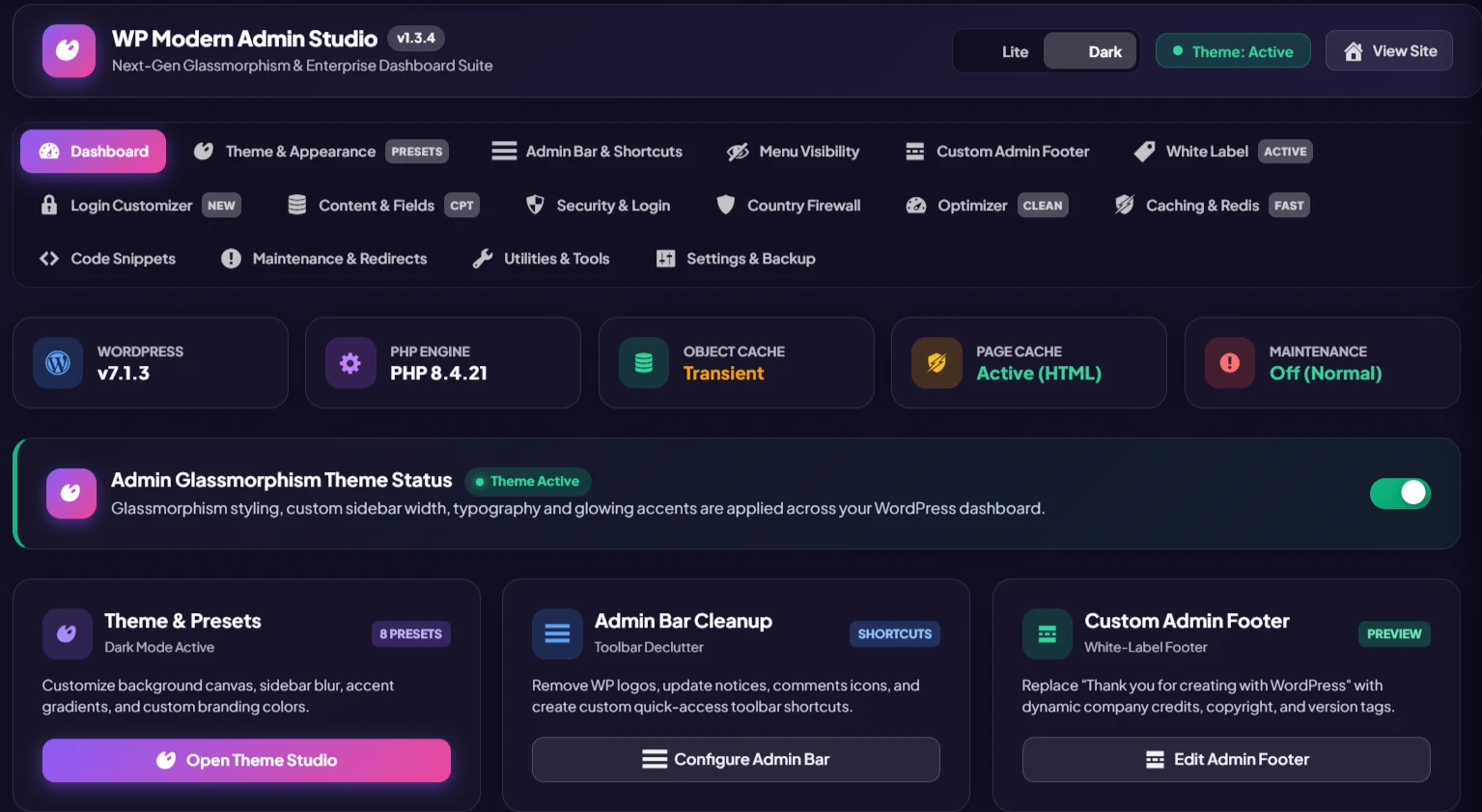
GoPixel WP Admin Studio v1.3.6 dashboard in dark mode
Unified Studio dashboardDark glassmorphism, theme status and quick access to modules
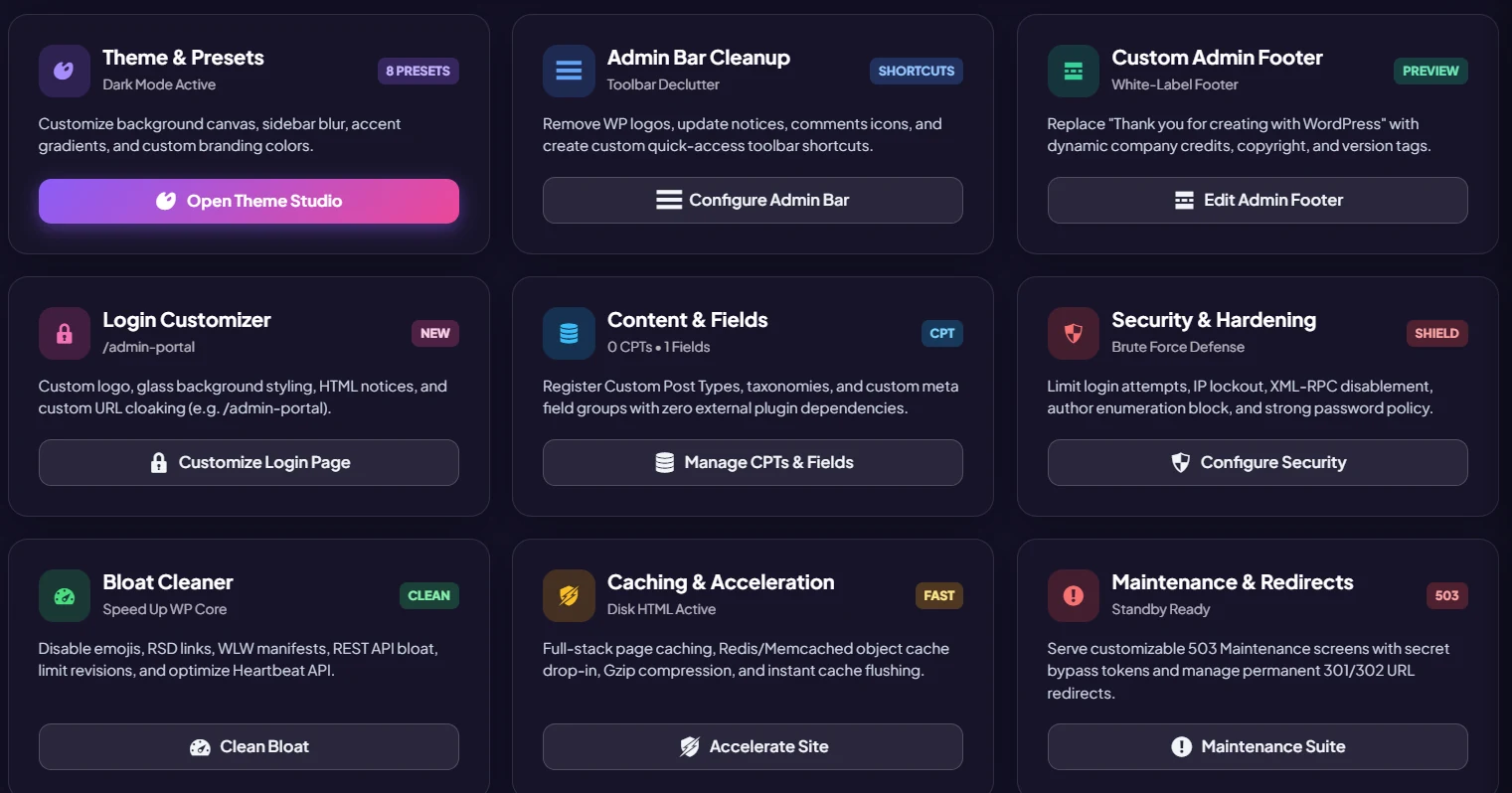
Actual GoPixel Studio feature cards for theme presets, admin bar cleanup, footer, login and security
Purpose-built feature panelsOpen tools from clear, focused dashboard cards
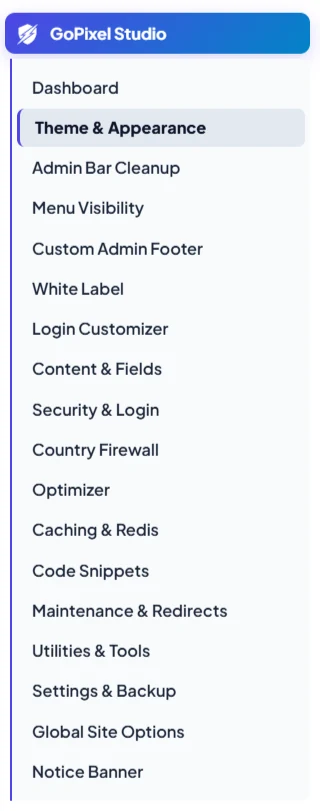
GoPixel Studio navigation in Light mode
Light-mode navigationTheme, White Label, security, caching and more
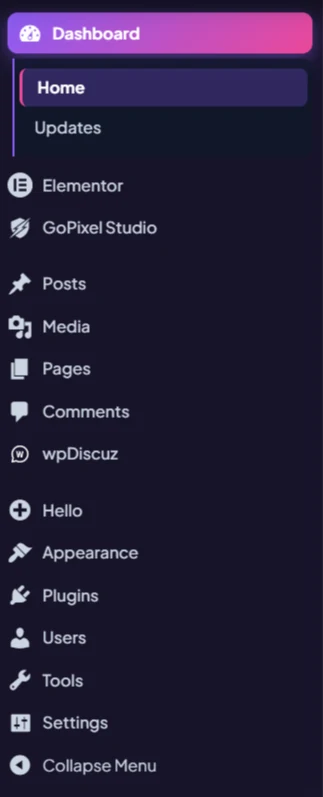
WordPress admin sidebar with GoPixel Studio in Dark mode
Works within WordPressGoPixel Studio sits alongside your existing admin tools

Screenshots supplied from the actual plugin interface. Appearance and available controls can vary by WordPress setup and enabled modules.

Designed around your workflow

Your admin. Your brand. Your rules.

Customize the backend, put your logo where it belongs, reduce clutter for specific roles and choose the modules that suit your site.

  • Choose a Light or Dark admin appearance and color preset.
  • Control which menu items different user roles can see.
  • Customize the login screen and selected admin-bar elements.
  • Keep content, security and performance settings together.
  • Export configured Studio builds with saved builder configuration preserved.
See what you can configure →
Admin Studio · AppearanceLive concept

Make it yours

Admin appearance Dark
Custom logo Enabled
Sidebar width 260 px
Role-based menu rules
Collect admin notices
GoPixel
WP Modern
Admin Studio

A cleaner, more capable WordPress admin workspace.

Ready when you are

Give your WordPress dashboard a better toolkit.

Start with the admin experience, then explore the optional tools for content, security, caching and site maintenance.

WordPress 6.0+PHP 7.4+GPL v2 or later